
Favicon Generator – Instantly Create Website Icons Online
Favicon Generator helps you quickly create clean, professional favicons for your website using your own image. Perfect for developers, designers, and site owners who need browser-compatible icons without installing software.
Drag & Drop Image
or click to browse files
Favicon Settings
Generating favicons...
Upload an image to start
Favicon Preview


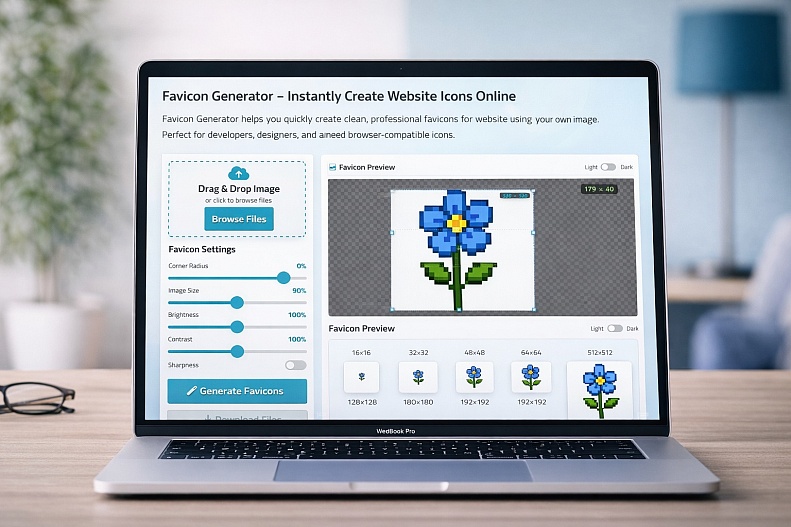
Favicon Generator – Create Website Icons Instantly
The Favicon Generator Online by WebYurt is a fast, easy-to-use tool that lets you create professional website icons from any image in seconds. Whether you're building a website, launching a product, or improving your brand identity, this tool helps you generate all the favicon sizes you need, without any design software.
What the Tool Does
This tool allows you to upload an image and instantly convert it into a complete set of favicon files optimized for all browsers and devices.
From standard browser icons to mobile and app-ready formats, everything is generated automatically, saving you time and effort.
Key Features
1. Drag & Drop Image Upload
Quickly upload your logo or image with a simple drag-and-drop interface; no setup required.
2. Full Favicon Package
Generate all essential favicon sizes (16×16 to 512×512), including PNG and ICO formats for complete compatibility across platforms.
3. Real-Time Preview
See how your favicon looks across different sizes and themes (light/dark) before downloading.
4. Customization Controls
Fine-tune your favicon with adjustable settings like:
-
Corner radius
-
Image scaling
-
Brightness & contrast
-
Sharpness
-
Background color
5. Ready-to-Use HTML Code
Get the installation code instantly, just copy and paste it into your website’s<head>section.
6. One-Click Download
Download all generated favicon files in a single ZIP package, ready for immediate use.
Why Favicons Matter
Favicons are small but powerful—they appear in browser tabs, bookmarks, and search results, helping users instantly recognize your website.
A well-designed favicon:
-
Strengthens brand identity
-
Improves user experience
-
Makes your site look more professional
Who It’s For
This tool is perfect for:
-
Developers adding icons to websites or apps
-
Designers preparing brand assets
-
Startup founders building their online presence
-
Marketers are improving brand visibility
-
Anyone launching a website
Simple, Fast, and Reliable
Instead of manually creating multiple icon sizes or using complex software, WebYurt’s Favicon Generator handles everything in one place: upload, customize, generate, and download.
It’s a small tool that makes a big difference in how your website looks and feels.