
Change Text Case Tool
An important tool which allows you to effortlessly change any text to lower case, UPPER CASE or even Capitalize Each Word, which is great for titles.
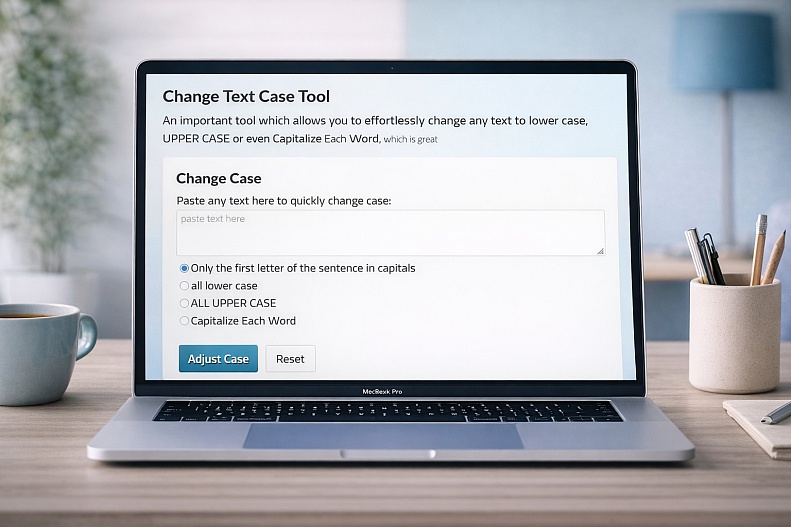
Change Text Case Tool – Format Text Instantly
The Change Text Case Tool by WebYurt is a simple yet powerful utility that helps you quickly convert text into different formats with just one click. Whether you’re fixing messy text, formatting headings, or preparing content for publishing, this tool saves time and eliminates manual editing.
What the Tool Does
This tool allows you to instantly transform any text into different capitalization styles, such as:
-
lowercase
-
UPPERCASE
-
Sentence case
-
Capitalize Each Word (Title Case)
Just paste your text, choose the format you need, and get the result instantly—ready to copy and use.
Key Features
1. One-Click Case Conversion
Convert your text instantly without retyping or editing manually.
2. Multiple Case Formats
Switch between common styles used in writing, web content, and titles—perfect for any use case.
3. Copy to Clipboard
Quickly copy your formatted text and paste it wherever you need.
4. Clean & Simple Interface
No distractions—just paste, convert, and go.
5. Browser-Based & Free
Works instantly in your browser with no downloads or sign-ups required.
Why Use a Text Case Converter?
Manually fixing capitalization can be tedious and error-prone. A case converter automates the process, helping you maintain consistent formatting across documents, websites, and content.
It’s especially useful when:
-
Cleaning up copied text
-
Formatting blog titles or headings
-
Standardizing content for publishing
-
Fixing accidental ALL CAPS or lowercase text
Who It’s For
This tool is perfect for:
-
Writers & bloggers formatting titles and content
-
Developers preparing clean text or naming structures
-
Marketers creating polished copy
-
Students & professionals editing documents
-
Anyone working with text regularly
Fast, Simple, Reliable
Instead of spending time manually correcting text, WebYurt’s Change Text Case Tool gives you accurate results instantly. It’s a small utility that makes a big difference in everyday workflows.