
Aspect Ratio Calculator for Images & Videos Online
Aspect Ratio is a simple online tool that helps you calculate, convert, and maintain correct image or video proportions. Perfect for designers, editors, developers, and anyone who needs precise dimensions without distortion.
Formula: W1:H1 = W2:H2
Enter any three values to calculate the fourth. Aspect ratio is expressed as a simplified ratio (e.g., 16:9).
Calculations update automatically as you type.
Enter any three values to calculate the fourth dimension.
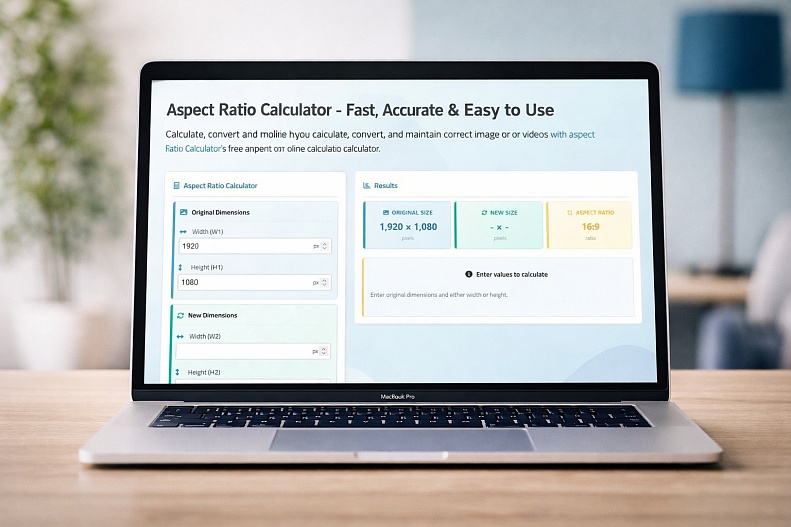
Aspect Ratio Calculator – Fast, Accurate & Easy to Use
The Aspect Ratio Calculator Online by WebYurt is a simple yet powerful tool designed to help you calculate, resize, and convert image or video dimensions without losing quality. Whether you're a designer, developer, content creator, or marketer, this tool makes it effortless to maintain perfect proportions every time.
What the Tool Does
At its core, the calculator helps preserve the relationship between width and height—known as the aspect ratio—so your visuals never appear stretched or distorted.
You can:
-
Calculate missing dimensions instantly
-
Resize images or videos proportionally
-
Convert between different aspect ratios
-
Maintain visual consistency across formats
Just enter any three values, and the tool automatically calculates the fourth in real time.
Key Features
1. Instant Calculations
Results update in real time, allowing you to experiment quickly without manual calculations.
2. Wide Range of Presets
Includes hundreds of common resolutions and formats, from 4K, ultrawide displays, and cinema ratios to social media sizes and mobile devices.
3. Flexible Input System
Enter the original and new dimensions, or provide three values to compute the fourth; ideal for quick scaling tasks.
4. Pixel-Perfect Accuracy
Ensures your images and videos retain their original proportions, preventing distortion and quality loss.
5. Free & Accessible
Runs directly in your browser with no downloads or sign-ups required.
Why Aspect Ratio Matters
Aspect ratio defines the proportional relationship between width and height (e.g., 16:9), and maintaining it is essential for professional-looking visuals.
Using the wrong ratio can lead to:
-
Stretched or squashed images
-
Cropping issues on social media
-
Poor visual presentation across devices
This tool eliminates those problems by ensuring every resize keeps the correct proportions.
Who It’s For
This tool is ideal for:
-
Designers working with layouts and graphics
-
Developers handling responsive media
-
Content creators optimizing for platforms like Instagram, YouTube, or TikTok
-
Marketers preparing ads and social media assets
-
Anyone resizing images or videos
Effortless, Fast, Accurate
Instead of guessing dimensions or doing manual calculations, WebYurt’s Aspect Ratio Calculator gives you accurate results instantly, saving time and avoiding mistakes.
If you regularly work with visuals, this is one of those tools you’ll keep coming back to.